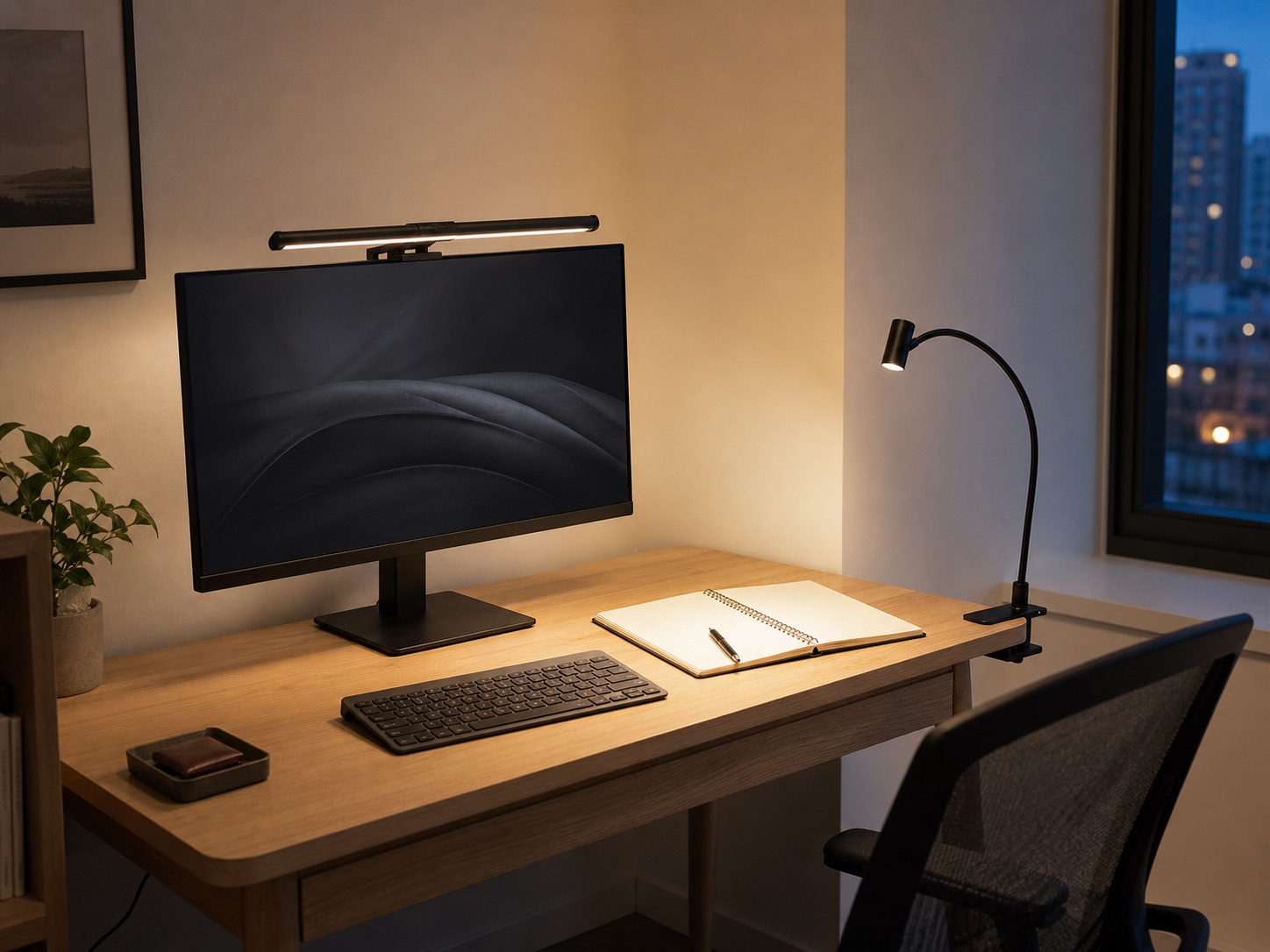
The one-minute choice
Start with a monitor light bar when the main task is keyboard or center-desk work, the monitor mount is compatible, and every desk edge is already occupied. Start with a clamp lamp when you write, draw, build, or need to aim light away from the screen. Neither is universally better: the light bar spends monitor compatibility; the clamp lamp spends edge access and arm clearance.
Side-by-side trade-offs
| Question | Monitor light bar | Clamp lamp |
|---|---|---|
| Uses desk surface? | No | No, but uses an edge |
| Mount depends on | Monitor top, rear shape, webcam | Edge thickness, underside, wall clearance |
| Best starting task | Keyboard and central work zone | Paper, crafts, side work, wall bounce |
| Aiming range | Usually centered and downward | Usually wider and more directional |
| Main conflict | Curved/thick screen or top-mounted camera | Blocked edge or arm collision |
For a broader lighting plan, read task lighting without losing a desk corner.
Check the mount before comparing features
For a monitor light bar
- Monitor thickness, curvature, top-edge shape, and rear housing.
- Webcam or sensor position and whether controls remain reachable.
- Screen tilt, viewing angle, and risk of direct LED reflections.
- Power connection and cable route from the monitor area.
For a clamp lamp
- Desktop or shelf thickness and a flat clamping surface.
- Underside apron, frame, drawer, and knee clearance.
- Arm reach without hitting the wall or monitor.
- Clamp pad compatibility with the furniture finish.
Use the clamp measurement guide for the edge and underside check.
Three current lights to compare
We verified that each linked US listing matched the named lighting role on July 31, 2026. Confirm current compatibility, included parts, power requirements, warranty, availability, and return terms on Amazon.
Monitor light bar
Quntis Computer Monitor Lamp
For keyboard and desk illumination without using a desk edge or corner.
A monitor-mounted light is the compact route when the display’s top edge can accept the mount and the beam suits the work area.
Confirm on Amazon: Monitor compatibility, bar width, controls, power connection, and included parts.
Clamp-on desk lamp
Airlonv Clamp LED Desk Lamp
For handwriting, crafts, and a light source that can move beyond the keyboard.
A side-mounted clamp lamp keeps its base off the desktop and can aim toward paper, a wall, or the keyboard.
Confirm on Amazon: Clamp opening, arm reach, controls, power connection, and mounting instructions.
Premium monitor light bar
BenQ ScreenBar Halo 2
A higher-end comparison for a monitor-compatible, desk-edge-free setup.
A premium monitor-mounted option to compare when controls and front-and-back lighting are priorities.
Confirm on Amazon: Exact model, monitor and webcam compatibility, included controller, power requirements, and warranty.
Affiliate note: These are paid links. As an Amazon Associate, we earn from qualifying purchases. We do not reproduce changing prices or ratings.
Run a placement and glare test
- Clear the desk and sit in the normal working position.
- Display a dark screen and place a sheet of white paper in the main work area.
- Aim the light so the paper or keyboard is visible without seeing a bright LED image in the screen.
- Check reflections in glasses, glossy furniture, and framed art.
- Move the monitor, webcam, notebook, and lamp through normal use.
- Repeat during daytime if a window changes the contrast.
Brightness control is useful only if the control is reachable and the lowest practical setting suits the room. The practical goal is a controllable, glare-aware work surface rather than one setting that claims to suit everyone.
Common questions
Is a monitor light bar good for handwriting?
It can light the central desk area, but a directional clamp lamp is often easier to move toward paper placed to one side. Your screen height and desk depth change the result.
Will a light bar fit behind a webcam?
Some combinations can coexist, but this is model-specific. Check both makers’ compatibility information and the exact physical overlap before ordering.
Which option is better for a curved monitor?
Neither category is guaranteed. Some light bars publish curved-monitor guidance; others do not. A clamp lamp avoids mounting to the screen but needs a suitable desk or shelf edge.