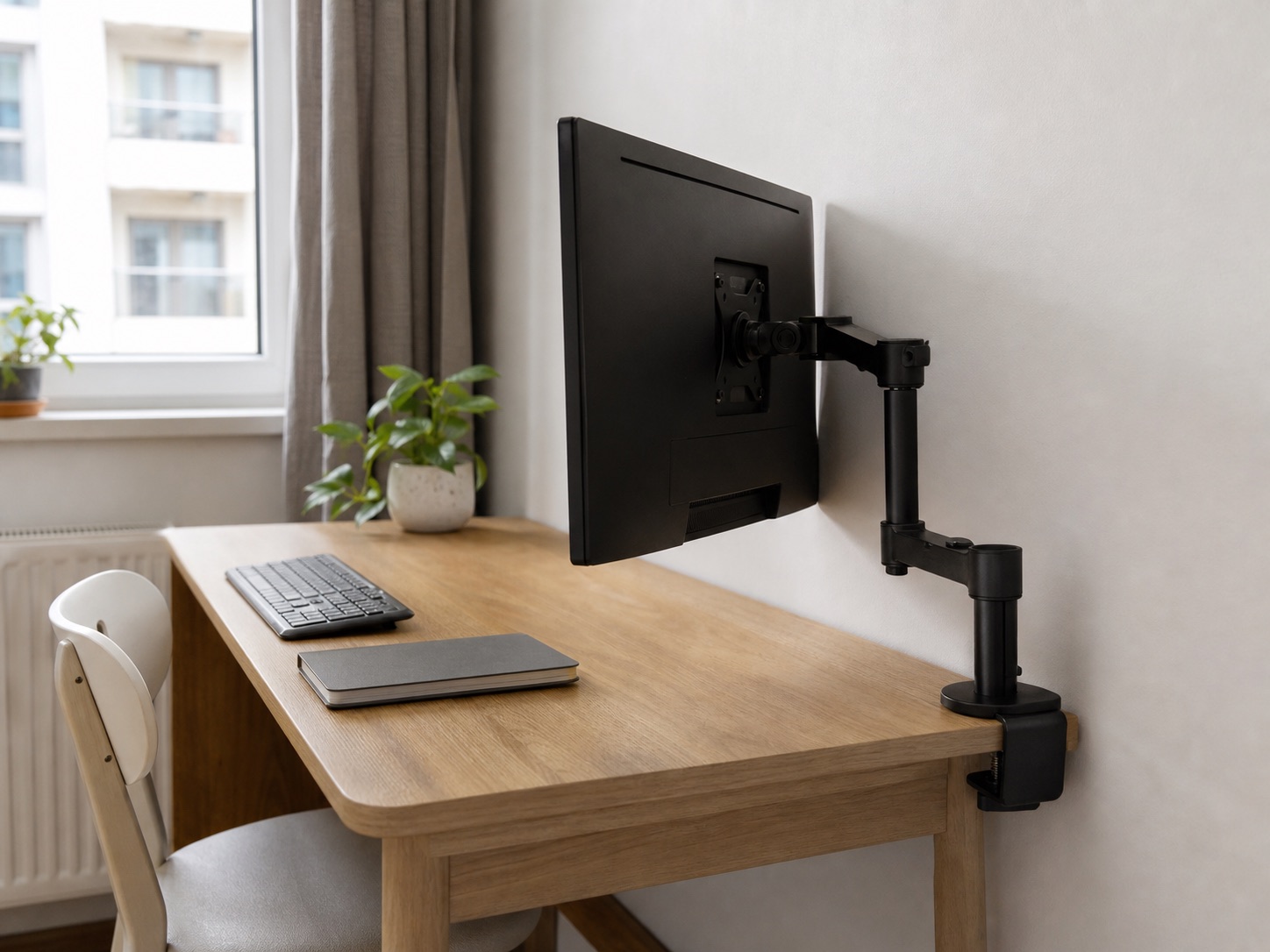
The short answer
A desk that is literally flush with the wall usually cannot accept a rear clamp without being moved for installation, and many articulated arms still need operating space after installation. A pole-style arm folded sideways can use less space directly behind the screen than an arm pushed straight back, but it is not automatically zero-clearance. Measure the entire motion envelope before choosing.
Two different gaps
Installation gap lets your hands and clamp reach the desk. Operating gap keeps the arm and monitor from contacting the wall during daily movement. Record both.
Measure six things before buying
- Monitor identity: exact model, weight without the stand, and supported VESA pattern.
- Desktop thickness: include any bevel, rear lip, or cable cover.
- Usable clamp depth: measure the flat underside before an apron or crossbar.
- Installation gap: space to position and tighten the mounting hardware.
- Operating gap: distance available behind the screen through the full movement.
- Side clearance: room for joints to fold beside the monitor without entering a walkway or shelf.
Start with the general monitor-arm compatibility checklist, then test the wall-specific geometry with cardboard or removable tape.
Choose the arm geometry, not the marketing image
| Mount style | Useful when | Wall-side trade-off |
|---|---|---|
| Pole with articulated arm | The joints can fold laterally | Pole and clamp still need rear and underside room |
| Gas-spring arm | You reposition the screen often | Elbow travel can increase as the monitor moves back |
| Grommet mount | A suitable existing hole is approved | Does not eliminate the arm’s motion envelope |
| Wall mount | The wall and tenancy allow it | Transfers compatibility and installation constraints to the wall |
| Original stand | The wall gap is effectively zero | May use more desktop depth but avoids clamp geometry |
Do not assume a dual arm saves more depth. Two screens and two joint paths make wall contact and balance more complex.
Three current monitor arms to compare
We verified that each linked US listing matched the named monitor-arm family on July 31, 2026. Product revisions and compatibility can change, so confirm the exact model, supported monitor, desk range, included mount, and current return terms on Amazon.
Pole-style monitor arm
VIVO STAND-V001 Single Monitor Arm
A useful starting geometry when the screen can fold sideways instead of straight back.
A pole-based arm lets you choose mounting height and can often be arranged with its joints beside the screen rather than directly behind it.
Confirm on Amazon: Monitor weight and size range, VESA pattern, clamp opening, pole height, and joint clearance.
Gas-spring arm
HUANUO Single Monitor Arm
For frequent repositioning when the wall gap gives the joints room to travel.
A gas-spring arm offers flexible positioning, but that flexibility creates a larger motion envelope behind and beside the monitor.
Confirm on Amazon: Supported monitor weight and size, VESA pattern, desk thickness, clamp footprint, and rear motion.
Premium articulated arm
Ergotron LX Monitor Arm
For smoother adjustment after the same fit and wall-clearance checks.
A premium articulated option to compare when adjustment quality matters and the desk can accept its mount.
Confirm on Amazon: Exact model, monitor range, VESA pattern, included mount, desk requirements, and warranty.
Affiliate note: These are paid links. As an Amazon Associate, we earn from qualifying purchases. Selection here means “worth comparing for this geometry,” not guaranteed fit.
Run a full-clearance test before final cable routing
- Move the desk out and install only if both product and desk instructions allow the mount.
- Attach the monitor with a second person if its size or weight makes solo handling unsafe.
- Move the display high, low, forward, back, and to both sides.
- Check the wall, clamp, desktop edge, underside obstruction, and cable connectors at every position.
- Place the desk at its final gap and repeat the movements you actually need.
- Only then route cables with service loops at the arm joints.
If the monitor can be comfortable in one fixed position, a simpler stand or riser may protect more usable depth than an arm that cannot move. Use the small-desk layout guide to compare the whole surface.
Common questions
Can a monitor arm work with no wall gap?
Not as a safe general promise. The clamp needs installation access, and the arm, monitor, cables, and connectors need some operating clearance. A specific side-folded position may be compact, but verify it with the exact hardware.
Is a grommet mount better near a wall?
It can move the desk attachment inward when a suitable, approved hole exists. It does not change how far the arm joints travel behind the screen.
Will a more expensive arm use less space?
Not necessarily. Price and adjustment quality do not determine the geometry. Compare drawings, dimensions, and the joint path of the exact model.