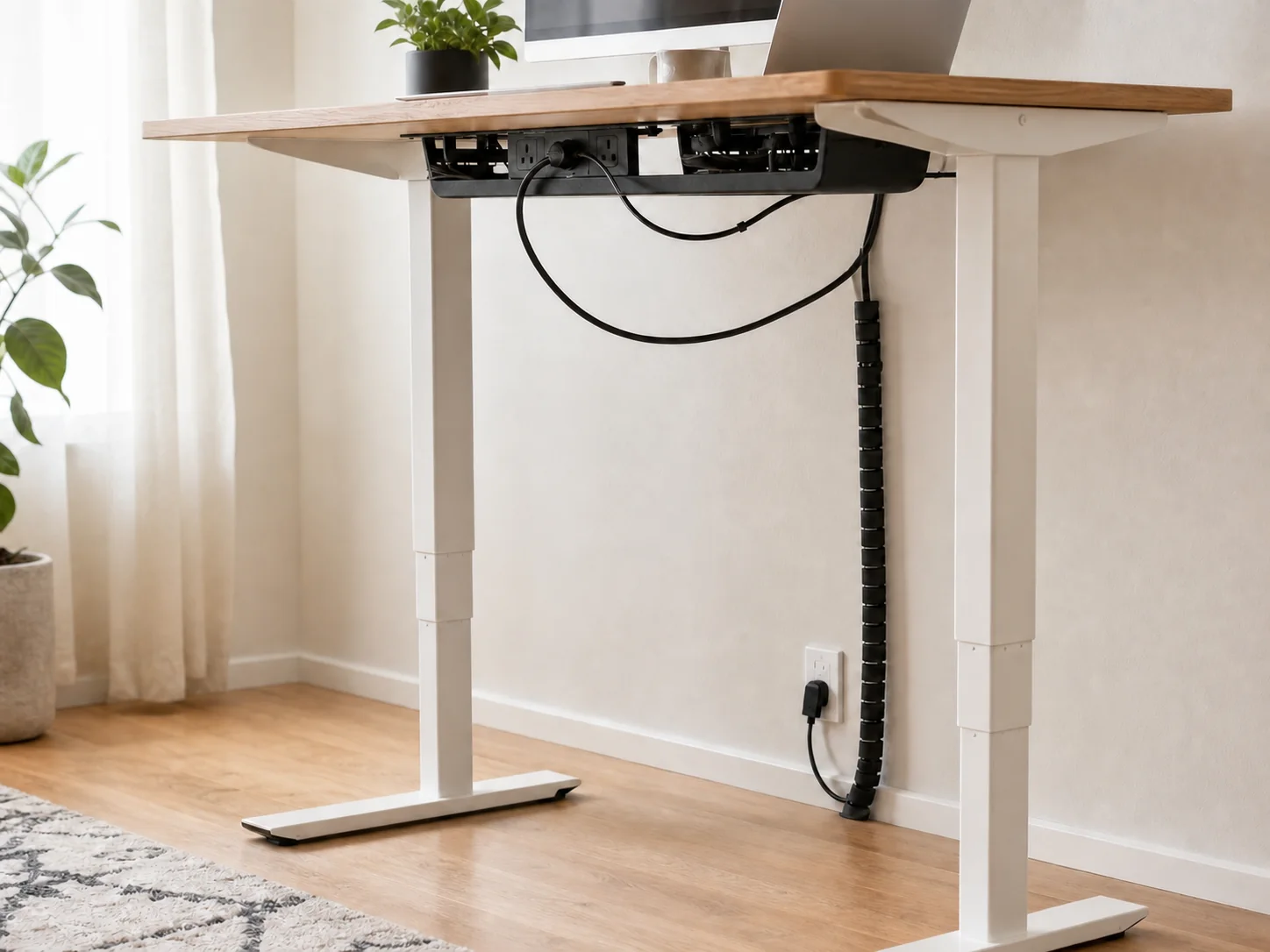
Design around movement first
The common mistake is bundling cables while the desk is sitting, then discovering that the bundle becomes taut when the desk rises. Set the desk to its highest working position before finalizing any route. Every cable that crosses from the moving desktop to the fixed wall or floor needs enough controlled slack for that full travel.
Controlled slack means a deliberate loop with a clear path—not a pile that can catch a foot or chair caster.
Divide the system into three zones
- Moving zone: monitor, laptop, dock, lamp, and everything mounted to the desktop.
- Transition zone: the vertical bundle that expands and contracts as the desk moves.
- Fixed zone: wall outlet, surge protector location if floor-mounted, network connection, and anything that does not rise.
Whenever possible, mount the power strip to the moving desk so individual device cords stay in the moving zone. Then only one power lead needs to cross the transition zone.
Leave service loops where movement happens
A service loop is a small reserve of cable near a moving joint or connector. Leave one near a monitor arm pivot, behind a laptop dock, and before the main vertical drop. The loop should be large enough for movement without pulling, but contained enough that it cannot enter the lift mechanism.
Use reusable ties loosely. Tight ties can bend cables sharply and transfer force directly to ports.
A reliable routing sequence
- Move the desk to full height and place all devices in their working positions.
- Mount or place the power strip where its switch remains reachable.
- Connect the shortest stable runs on the desktop first.
- Collect the remaining power lead and any unavoidable fixed connections into one transition path.
- Anchor the top of that path to the moving desk and guide the bottom toward the fixed outlet.
- Lower the desk slowly while watching every loop, connector, and snag point.
Run a five-part movement test
- Raise and lower the desk through its complete range twice.
- Rotate and extend the monitor arm.
- Move the laptop between docked and open positions.
- Pull the chair fully in and roll it around the cable drop.
- Confirm that the power switch and disconnect points stay reachable.
If any cable becomes taut, catches on hardware, rubs against a sharp edge, or enters the leg mechanism, stop and reroute it.
Common failure modes
Too little slack: connectors take the load at full height. Too much loose slack: the bundle catches feet or chair casters at sitting height. Fixed-wall clips: they prevent the moving cable from traveling. Tray in the lift path: it collides with a crossbar or control box. Hidden power switch: the desk must be dismantled to cut power.
For the visible transition bundle, a reopenable sleeve can be useful. See our examples and fit notes.