Mechanical vs. Magic Keyboard: A Tech Enthusiast's Perspective
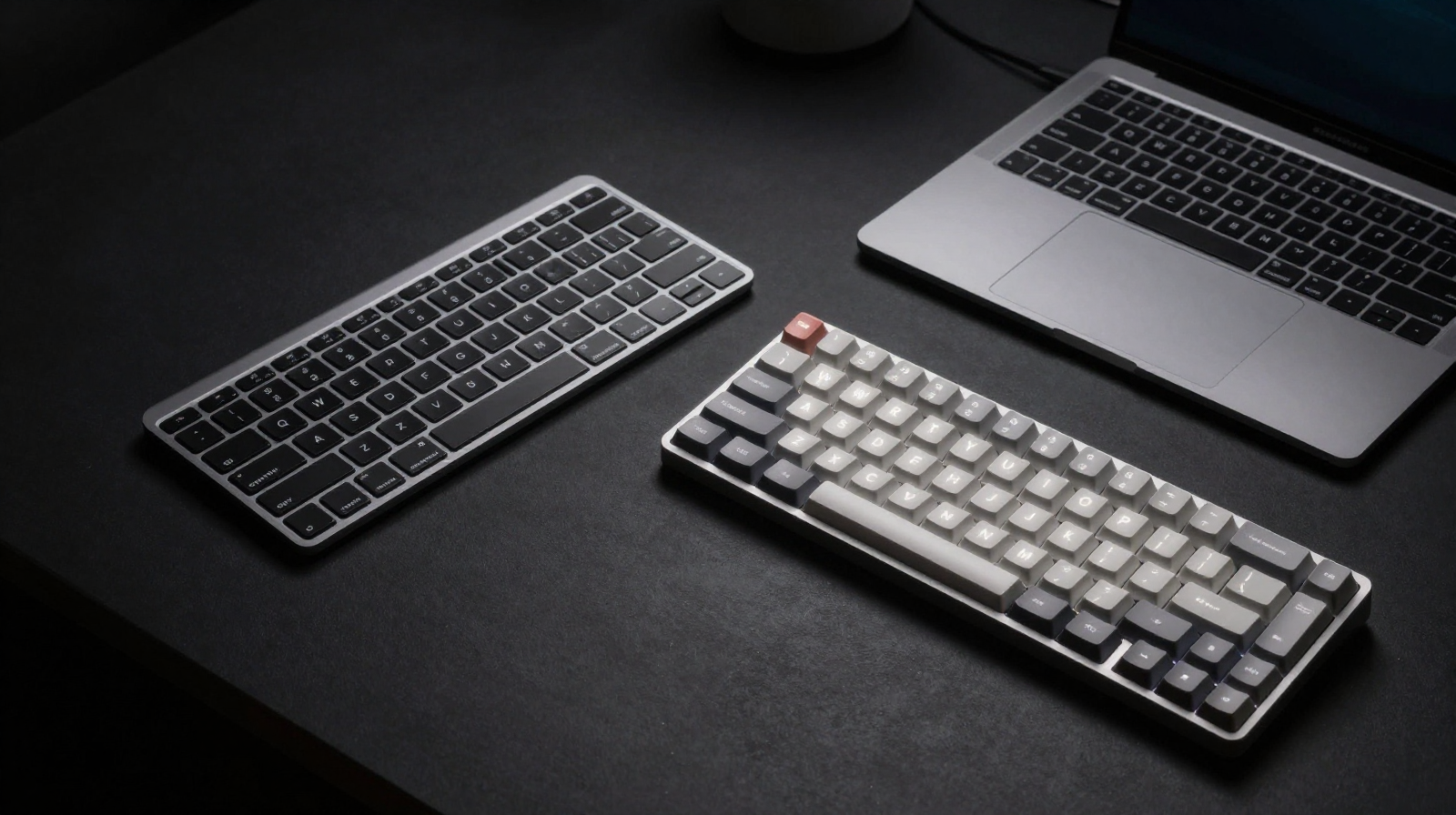
Keyboard choice is one of the most personal decisions in any desk setup. It affects comfort, speed, noise, and even how your workspace feels emotionally during long work sessions. For Mac users, the comparison often comes down to Apple’s Magic Keyboard versus a mechanical alternative. Both can be excellent, but they optimize for different priorities. This guide compares them in practical terms rather than internet hype.
Typing Feel and Fatigue
Magic Keyboard uses short travel and a stable scissor mechanism that many users find fast and precise. It rewards light touch and clean technique. Mechanical keyboards offer deeper travel and tactile or linear feedback depending on switch type. Some people feel less finger strain on low-force linears; others fatigue faster due to higher actuation and travel distance.
The key is not “better technology” but compatibility with your typing style. If you write all day and prefer gentle key motion, Magic Keyboard can feel effortless. If you value pronounced feedback and custom key feel, mechanical options provide a richer input experience.
Noise Profile and Shared Spaces
Magic Keyboard is quiet enough for almost any environment, including calls and shared offices. Mechanical boards vary widely. Silent switch builds can be surprisingly subdued, while clicky configurations are usually unsuitable for collaborative spaces. If your desk is in a bedroom studio or near family activity, noise control may become the deciding factor.
Ergonomics and Wrist Position
Magic Keyboard’s low profile naturally supports flatter wrist posture. Mechanical keyboards can still be ergonomic, but they often need wrist support, tenting, or negative tilt setups to avoid extension strain. If your desk is shallow, a tall keyboard may push your mouse too far away, increasing shoulder load.
Customization and Workflow Features
Mechanical ecosystems win on customization. You can choose layout size, switch type, keycap profile, programmable layers, and hot-swappable hardware. For power users who map macros or run multilingual workflows, this flexibility is valuable. Magic Keyboard keeps things simple and integrates seamlessly with Apple devices, but offers less hardware-level personalization.
Build, Aesthetics, and Long-Term Ownership
Magic Keyboard excels in minimal aesthetics and low visual weight. It pairs beautifully with Apple-centric setups and disappears on the desk. Mechanical boards range from minimalist aluminum to highly stylized builds. Long-term value depends on your priorities: Magic is low-maintenance and predictable, while mechanical can evolve over time through part upgrades.
Pros & Cons: Mechanical vs Magic
Magic Keyboard
- Very quiet, slim, clean Apple ecosystem integration.
- Low profile supports neutral wrist posture for many users.
- Limited customization and shorter key travel preference only.
Mechanical Keyboard
- Customizable switches, layouts, and typing feedback.
- Can deliver superior tactile precision and key feel.
- Often louder, taller, and may need extra ergonomic accessories.
Compare Keyboard Options
Check pricing for low-profile, silent, and premium mechanical models.
Check Price on AmazonFinal Verdict
Choose Magic Keyboard if you prioritize quiet operation, minimal aesthetics, and effortless Apple integration. Choose mechanical if you care about custom feel, programmability, and upgrade path. The best keyboard is the one that keeps your hands comfortable and your workflow consistent over months, not just the one that feels exciting on day one.
Workflow Fit: Who Should Choose What?
Choose Magic Keyboard if you...
- Work in shared or quiet environments where noise matters.
- Prefer low-profile typing with minimal desk clutter.
- Rely heavily on seamless multi-device Apple integration.
Choose Mechanical if you...
- Want custom switch feel, layout choices, and macro layers.
- Value deeper key travel and tactile feedback.
- Plan to tune your keyboard over time with parts and firmware.
Long-Term Cost and Maintenance
Magic Keyboard is straightforward: buy once, use consistently, minimal tuning required. Mechanical keyboards can begin affordable but grow expensive with switch testing, keycap swaps, and accessory experimentation. However, that modularity can extend hardware life and improve fit over time. If you enjoy iterative optimization, mechanical ownership can be rewarding. If you prefer predictable simplicity, Magic Keyboard remains a strong daily driver.
Whichever route you choose, align keyboard height with elbow posture, keep wrists neutral, and revisit key repeat settings to reduce forceful typing habits. The right setup is the one your hands still like after a long week.
Testing Method Before You Buy
Whenever possible, test both styles for at least 20 minutes each on your real workload: coding, writing, and shortcuts. Pay attention to shoulder tension, not just typing speed. Also test during calls to judge microphone pickup noise. A short in-store impression can be misleading; practical testing with your own habits is the best predictor of long-term satisfaction.
Remember that keyboard decisions are reversible. Start with one stable option, measure comfort for two weeks, and then refine based on evidence rather than trend pressure.