Logitech MX Master 3S vs. Apple Magic Mouse: The Ultimate Mac Productivity Battle
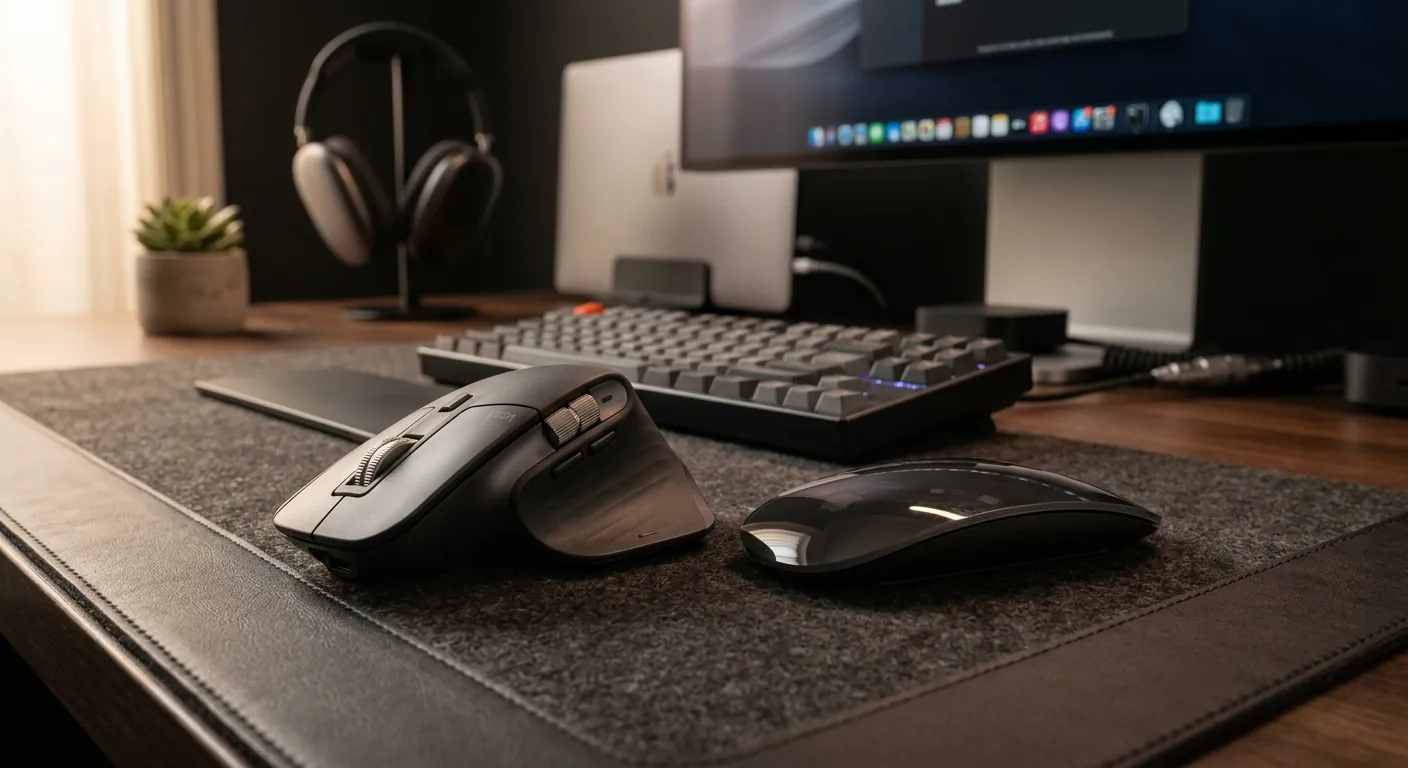
Choosing the right mouse for a Mac is a decision between two distinct design philosophies. On one hand, the Logitech MX Master 3S represents the pinnacle of productivity, ergonomics, and versatility. On the other, the Apple Magic Mouse offers minimalist aesthetics, portability, and seamless integration with macOS gestures. For power users, the MX Master 3S is often the winner, but the Magic Mouse still holds a unique charm for minimalist setups.
Quick Comparison Table
| Feature | Logitech MX Master 3S | Apple Magic Mouse |
|---|---|---|
| Ergonomics | High-back ergonomic design (Excellent) | Flat design (Poor for long-term use) |
| Scrolling | MagSpeed Magnetic Wheel | Multi-Touch Surface |
| Gestures | Physical Gesture Buttons + Software Mapping | Native Multi-Touch Gestures |
| Charging | USB-C Front (Use while charging) | USB-C Bottom (Cannot use while charging) |
| Multi-device | Up to 3 devices | Single device |
Product Deep Dive
Logitech MX Master 3S Wireless Performance Mouse

The gold standard for professionals who spend hours at their desk.
- Superior Ergonomics: Designed to reduce wrist fatigue during long sessions.
- 8K DPI Sensor: High precision that tracks on almost any surface, including glass.
- MagSpeed Wheel: Ultra-fast, quiet, and precise electromagnetic scrolling.
- Side Thumb Wheel: Perfect for horizontal scrolling in Excel or video timelines.
- Quiet Clicks: 90% noise reduction compared to previous generations.
- Large footprint, not ideal for frequent travel.
- Right-hand only design.
Apple Magic Mouse - White Multi-Touch Surface

The ultimate companion for the aesthetic-focused Mac user.
- Native Gestures: Supports all macOS Multi-Touch gestures natively.
- Ultra-Portable: Slim design fits easily into any laptop sleeve.
- Ambidextrous: Symmetrical design works for both left and right-handed users.
- Apple Ecosystem: Instant pairing and seamless integration.
- Poor ergonomics can lead to hand strain over time.
- Charging port is on the bottom, rendering it useless during charging.
Logitech MX Master 4 for Mac (Advanced Alternative)

The newest iteration with haptic feedback for the tech-savvy professional.
- Haptic Feedback: New physical feedback for more intuitive interaction.
- Optimized for Apple: Tailored specifically for macOS and iPadOS.
- Advanced Performance: Represents the current peak of office mouse tech.
Which One Should You Choose?
Scenario 1: Heavy Productivity & Creative Work
Target: Programmers, Video Editors, Data Analysts.
If you use a mouse for more than 4 hours a day, the Logitech MX Master 3S is the clear winner. Its ergonomic support and the secondary thumb wheel are game-changers for navigating timelines and massive spreadsheets. Pro Tip: Use Logi Options+ to map the side button to "Mission Control" for effortless multitasking.
Scenario 2: Minimalist Travel & Design
Target: UI/UX Designers, Digital Nomads.
The Apple Magic Mouse is the best fit for those who prioritize portability and native gesture support. Its ability to scroll horizontally and zoom by simply touching the surface provides a "fluid" feel that no physical wheel can perfectly replicate in macOS.
Scenario 3: Quiet Office Environments
Target: Library users, late-night workers.
The MX Master 3S features quiet-click technology that significantly reduces noise. Combined with its Darkfield sensor that works on glass desks without a mousepad, it’s the most versatile choice for shared workspaces.
Expert Insights from the Community
Recent testing from tech experts highlights the following:
Final Verdict
For health and efficiency, the Logitech MX Master 3S is the undisputed king of Mac office mice. However, if you are a heavy user of native macOS gestures and value a minimalist, portable setup, the Apple Magic Mouse remains a viable, albeit less ergonomic, alternative.
Frequently Asked Questions (FAQ)
Yes, through the Logi Options+ software, you can configure the gesture button and wheels to replicate almost every Magic Mouse gesture, including switching desktops and zooming.
No, the Magic Mouse uses a laser sensor that struggles on reflective surfaces. The MX Master 3S's Darkfield sensor is required for glass tracking.